> For the complete documentation index, see [llms.txt](https://docs.heisenware.com/llms.txt). Markdown versions of documentation pages are available by appending `.md` to page URLs; this page is available as [Markdown](https://docs.heisenware.com/app-manager/inbound-integrations.md).
# Integrations (inbound)
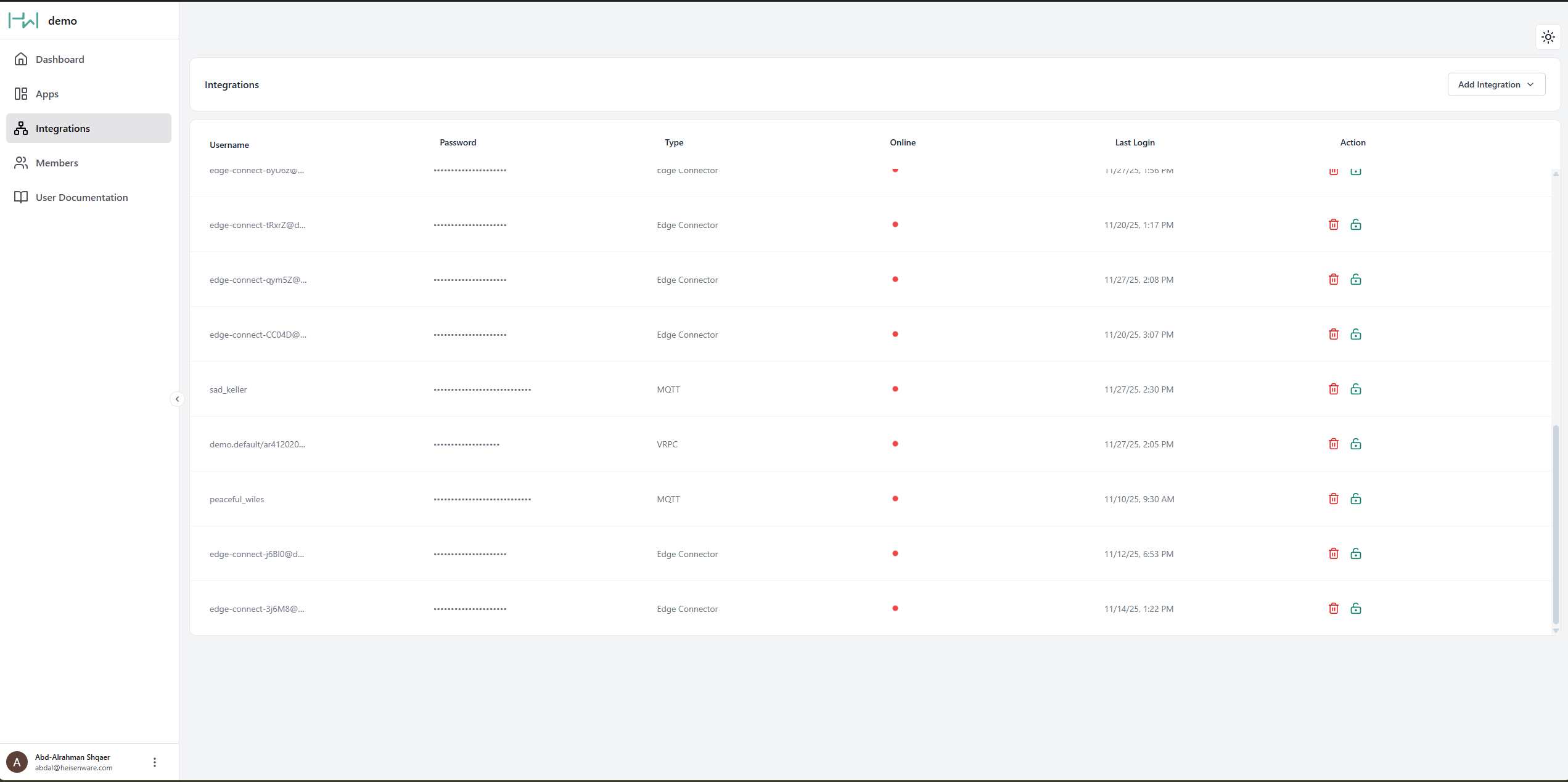
The Integrations panel gives you a central overview of every inbound data connection from external systems. Whatever sends data to Heisenware, an IoT sensor, a custom Python script, or a Heisenware Agent, shows up here.
Integrations panel
## Integration types
Heisenware connects external data three ways:
### Native or Docker Agent
[Agents](/app-builder/build-backend/agents.md) securely bridge data from private networks (on-premises servers, local databases) to the cloud.
* **Setup**: You create and deploy Native Agents directly in the App Builder. You download and deploy Docker Agents via Docker.
* **Management**: Once deployed, an Agent entry appears in the Integrations panel for monitoring. No manual credentials required.
### MQTT client
The standard choice for general IoT use cases. Use this for sensors or devices that push data to Heisenware's MQTT broker. Inside your Apps, the [MQTT client connector](/app-builder/build-backend/functions/connectors/mqtt-client.md) handles these messages. For a full walkthrough, see [Connect an external MQTT client](/tutorials/integration-guides/connect-an-external-mqtt-client.md).
### [VRPC](/advanced/vrpc.md) client
An advanced method for connecting custom code and proprietary libraries, the most powerful option for specialized software integrations.
## Connecting MQTT and VRPC clients
Agents connect automatically, but MQTT and VRPC clients need authorization one of two ways:
### Method 1: Manual credential creation
Use this method to pre-configure your external client with a fixed username and password.
{% stepper %}
{% step %}
#### Create
Click Create in the Integrations panel.
{% endstep %}
{% step %}
#### Select type
Select if you need an MQTT or VRPC client.
{% endstep %}
{% step %}
#### Edit/copy credentials
Copy the generated credentials or edit them to your needs.
{% endstep %}
{% step %}
#### Connect
Paste these credentials into your external client's configuration.
{% endstep %}
{% endstepper %}
### Method 2: Smart onboarding
The preferred, passwordless method. The external client sends a request, and you approve it in the App Builder. For a detailed guide, see the [smart onboarding section](/app-builder/build-backend/functions/function-explorer.md#smart-onboarding).
## Integrate custom code via VRPC
To integrate your code, write a [Code Adapter](/account/hosting-and-architecture.md#custom-code-adapters) around your existing functions, then load it as a Custom Extension.
* **Supported languages**: Arduino (ESP32), C++, Node.js, and Python.
* **Use cases**: Integrating legacy systems, running complex algorithms, or using specialized software libraries.
{% hint style="info" %}
#### Technical implementation
For details, examples, and adapter setup, visit our [VRPC developer section](/advanced/vrpc.md).
{% endhint %}
---
# Agent Instructions
This documentation is published with GitBook. GitBook is the documentation platform designed so that both humans and AI agents can read, navigate, and reason over technical content effectively. Learn more at gitbook.com.
## Querying This Documentation
If you need additional information that is not directly available in this page, you can query the documentation by asking a question.
Perform an HTTP GET request on the following URL with the `ask` and `goal` query parameters:
```
GET https://docs.heisenware.com/app-manager/inbound-integrations.md?ask=&goal=
```
`ask` is the immediate question: it should be specific, self-contained, and written in natural language.
`goal` is what the user is ultimately trying to achieve, the reason they need the answer. Sharing it helps GitBook give you a better, more relevant answer. A goal is most helpful when it describes the outcome the user wants rather than restating the question. For example, with `ask=how do I create an API token`, a goal like `automate deployments from our CI pipeline` lets GitBook tailor the answer to that use case.
The response will contain a direct answer to the question and relevant excerpts and sources from the documentation.
Use this mechanism when the answer is not explicitly present in the current page, you need clarification or additional context, or you want to retrieve related documentation sections.