> For the complete documentation index, see [llms.txt](https://docs.heisenware.com/llms.txt). Markdown versions of documentation pages are available by appending `.md` to page URLs; this page is available as [Markdown](https://docs.heisenware.com/app-builder/build-frontend/widgets/display-widgets/media-view.md).
# Media view
The media view widget displays images and PDF documents. It visualizes raw Base64 strings, media server paths, file objects, or public URLs in your Apps.
## Data binding
### Function output or modifier to widget
| **Property** | **Description** | **Type** |
| ------------ | ----------------------------------------------------------------------------------------------------------------------------- | ------------------------- |
| `data` | Supplies the media content used to render images or documents on the widget canvas. Automatically unpacks single-item arrays. | string \| array \| object |
| `clear` | Clears the currently displayed media item from the view layout when a signal is received. | boolean |
### Data formats
The `data` property handles multiple flexible input payload types to streamline integration with your backends.
* **Base64 string:** A raw Base64-encoded string character block. The widget automatically resolves standard MIME categories (such as `image/png` or `application/pdf`).
* **File Base64 object:** A structured object defining explicit `base64` data and `type` properties.
* **File path object:** A structured object containing explicit backend server `path` and file `type` keys.
* **Media server path:** A direct text string locator path addressing a storage asset hosted directly on the platform media cluster.
* **URL:** A standard fully qualified public internet web link to an external image or file target.
A function node with an image connected to the media view widget. The extension node retrieves the content of the output array.
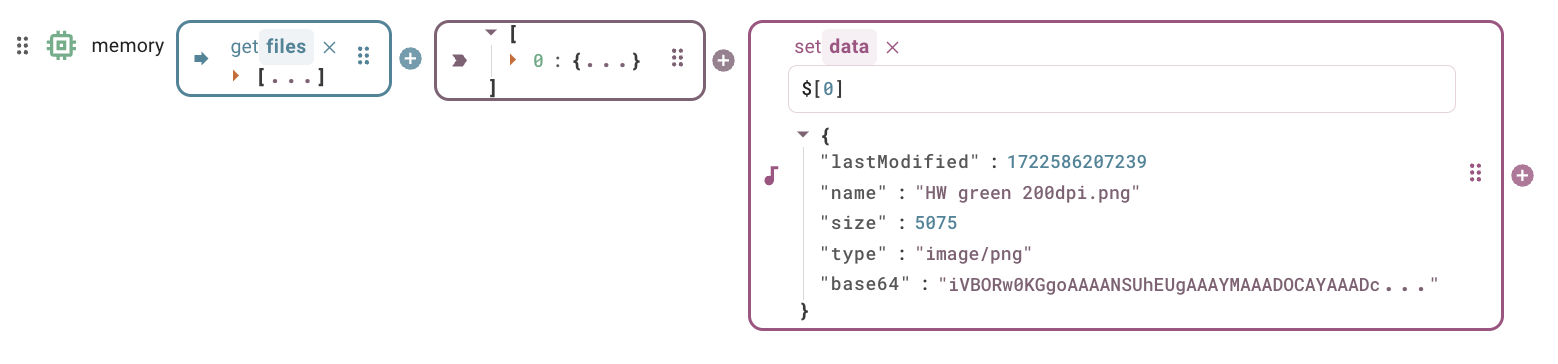
Binding a file item extracted from the media server file system directly into memory works without extra modifiers.
## Configuration
Set the widget's defaults in the settings panel.
### General settings
| **Property** | **Label** | **Description** | **Type** |
| -------------- | ----------------- | ------------------------------------------------------------------------------------------------------------------------------------ | -------- |
| `objectFit` | Image fitting | Controls how the media stretches or scales to match its layout container boundaries (options include `Contain`, `Cover`, or `Fill`). | string |
| `borderRadius` | Rounded corners % | Applies a border radius frame curvature to the media canvas outer edges as a percentage of the smaller layout dimension. | integer |
---
# Agent Instructions
This documentation is published with GitBook. GitBook is the documentation platform designed so that both humans and AI agents can read, navigate, and reason over technical content effectively. Learn more at gitbook.com.
## Querying This Documentation
If you need additional information that is not directly available in this page, you can query the documentation by asking a question.
Perform an HTTP GET request on the following URL with the `ask` and `goal` query parameters:
```
GET https://docs.heisenware.com/app-builder/build-frontend/widgets/display-widgets/media-view.md?ask=&goal=
```
`ask` is the immediate question: it should be specific, self-contained, and written in natural language.
`goal` is what the user is ultimately trying to achieve, the reason they need the answer. Sharing it helps GitBook give you a better, more relevant answer. A goal is most helpful when it describes the outcome the user wants rather than restating the question. For example, with `ask=how do I create an API token`, a goal like `automate deployments from our CI pipeline` lets GitBook tailor the answer to that use case.
The response will contain a direct answer to the question and relevant excerpts and sources from the documentation.
Use this mechanism when the answer is not explicitly present in the current page, you need clarification or additional context, or you want to retrieve related documentation sections.
.png?alt=media)