> For the complete documentation index, see [llms.txt](https://docs.heisenware.com/llms.txt). Markdown versions of documentation pages are available by appending `.md` to page URLs; this page is available as [Markdown](https://docs.heisenware.com/app-builder/build-backend/functions/utilities/pdf-templates.md).

# PDF templates

The PDF template class generates PDF documents by merging App data with layouts designed in the [PDF Template Editor](/app-builder/build-frontend/pdf-template-editor.md). Each template operates as an instance that contains the `fillTemplate` function for its layout. This class requires an instance. The code class name is `PdfTemplate`.

### `fillTemplate`

Merges data with the pre-designed layout and generates a completed document.

#### Parameters

<table><thead><tr><th width="150">Input</th><th width="120">Key</th><th>Description</th><th width="100">Type</th></tr></thead><tbody><tr><td><code>values</code></td><td></td><td>A data object containing key-value pairs. The keys must exactly match the variable names configured for placeholders in the <a href="/pages/avZz4jNnzxnhvzfxSZH2">PDF Template Editor</a> (such as <code>firstName</code> or <code>orderDate</code>). Supports nested objects.</td><td>object</td></tr><tr><td><code>options</code></td><td><code>showEmptyVariables</code></td><td>Displays the variable name in angle brackets (such as <code>&#x3C;firstName></code>) for placeholders without a value. If false, leaves them empty. Default false.</td><td>boolean</td></tr></tbody></table>

#### Output

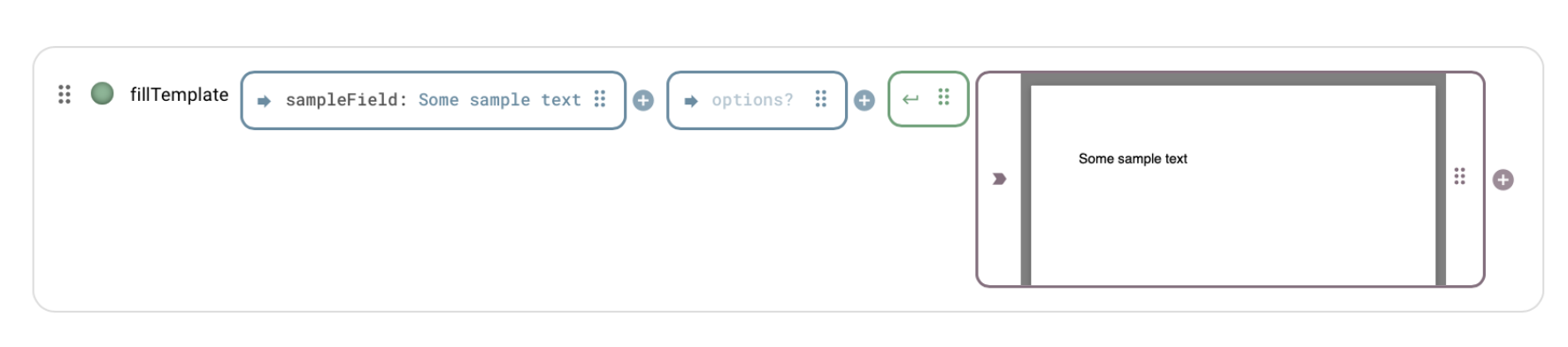
Returns the populated PDF document as a base64-encoded string. If rendering fails, the function returns nothing and the error appears in the log. During development, the function node displays a preview of the rendered PDF layout. Store the output in a [database](/app-builder/build-backend/functions/storage/relational-database.md), display it in a media view widget, or send it as an [email](/app-builder/build-backend/functions/connectors/email.md) attachment.

<figure><img src="/files/SdCyM3PowVpKy5iZXU4C" alt=""><figcaption><p>The fillTemplate function node preview</p></figcaption></figure>

{% hint style="info" %}

#### Document generation

Each execution generates a new document and populates the entire template in a single operation. For templates with multiple fields, assemble the required data into a single structured object before passing it to the function.
{% endhint %}

#### Example

**Fill template layout**

```yaml
# values
name: John
surname: Doe
signature: iVBORw0KGgoAAAANSUhEUg...
# options
showEmptyVariables: true
```

## Full tutorial

See the step-by-step tutorial to build a dynamic acceptance report from start to finish:

[From Data to Document: Automating PDF Reports](/tutorials/app-templates/automating-pdf-reports.md)


---

# Agent Instructions
This documentation is published with GitBook. GitBook is the documentation platform designed so that both humans and AI agents can read, navigate, and reason over technical content effectively. Learn more at gitbook.com.

## Querying This Documentation
If you need additional information that is not directly available in this page, you can query the documentation dynamically by asking a question.

Perform an HTTP GET request on the current page URL with the `ask` query parameter, and the optional `goal` query parameter:

```
GET https://docs.heisenware.com/app-builder/build-backend/functions/utilities/pdf-templates.md?ask=<question>&goal=<endgoal>
```

`ask` is the immediate question: it should be specific, self-contained, and written in natural language.
`goal` is optional and describes the broader end goal you are ultimately trying to accomplish on behalf of the user. GitBook uses it to tailor the answer towards what is most useful for that goal.

The response will contain a direct answer to the question and relevant excerpts and sources from the documentation.

Use this mechanism when the answer is not explicitly present in the current page, you need clarification or additional context, or you want to retrieve related documentation sections.
